Emailing is one of the most important applications used in the practice of business communication. Sales, support, and marketing teams use Gmail and Outlook to send emails to their customers.
If emails are not properly managed, it can lead to lost emails, which in turn can cause delays in replying to the emails. Receiving a number of emails can cause tension, and it becomes difficult to work.
This is where proper organization becomes important. This guide explains what email management is and why it matters. You will also get some helpful tips on how your team can optimize their emails and reach “Inbox Zero.”
Email Management is described as “A system for organizing, prioritizing, and efficiently responding to emails.”
Here are some ways on how you can optimize your emails:
- Inbox Zero: Organizing your inbox and making it empty.
- Shared Inboxes: Giving your team the ability to handle emails together.
- Labels and Categories: Assisting your team in finding their emails easily.
- Automation: Assisting your team in automatically sending emails to the right people.
Teams with the right tools, such as Hiver, SaneBox, or Unroll.me, can respond to their customers 40 percent faster. Some good tips for your team: use labels and filters, use saved replies, use rules to manage your emails, and find tools that are affordable for your team.
What Is Email Management?
Simple Meaning
Email management is the process of organizing and answering messages using a clear system.
It helps teams track conversations and reply faster. This way, they won’t miss important messages in their personal or shared team inboxes.
Why It’s Important for Businesses
Many companies receive hundreds of emails every day. Growing email volume creates stress and reduces productivity without proper inbox management systems.
Without a system to sort messages, teams can easily miss new sales or customer questions. These tips help your team stay productive and save valuable time every day.
Common Problems Businesses Face
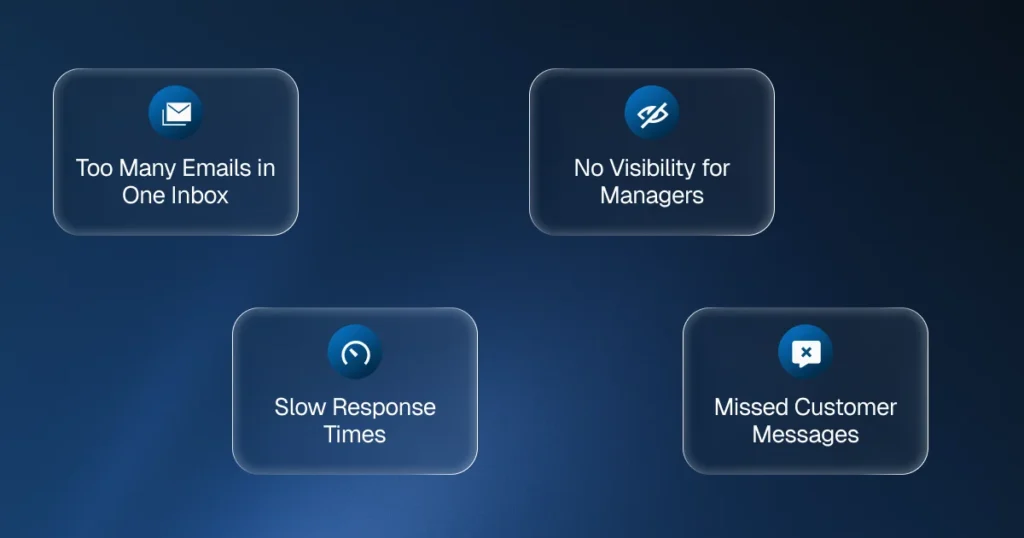
Too Many Emails in One Inbox
When many people use the same inbox without proper labels and categories, incoming emails become confusing. Multitasking across multiple conversations leads to errors and messages clutter your inbox.
It becomes hard to know who replied and who is responsible – this is where shared inbox solutions help organize team communication.
Missed Customer Messages
Important emails can easily get buried in long email threads. Notifications overload and constant interruptions make it hard to focus.
This leads to slow responses and unhappy customers who expect your team to answer them quickly.
No Visibility for Managers
Managers often cannot see how quickly agents reply in personal inboxes. It becomes difficult to measure team performance or track product updates and communication without email management.
Slow Response Times and Deliverability Issues
Searching through emails takes time. Teams may respond late to leads or support requests.
Also, if you don’t have the right security settings (like DKIM, DMARC, and SPF), your emails might end up in the spam folder. This hurts your reputation and makes it hard to reach your customers.
Key Features of Effective Email Management
Shared Inbox for Collaboration
A shared inbox lets a whole team handle emails together. This saves much more time than everyone using their own separate accounts.
Everyone can see the same conversation and work easily together. Many customer service apps offer shared inboxes with monthly plans that are very affordable.
Email Assignment with Labels and Filters
New emails can be assigned to different team members depending on the feature options available. Automated filters can be created to sort emails depending on certain words used in the email subject or depending on whether there is an attachment.
This ensures that every email has an assigned owner, and your inbox is uncluttered.
Conversation Tracking with Labels and Categories
Teams can see who replied and when using label and category systems. Both Gmail and Outlook support inbox labels and inbox tabs for organization.
This improves accountability and response quality. Use the search box with filters like “has attachments” to find messages quickly.
Internal Notes and Collaboration
Team members can leave internal comments on email threads. This helps teams fix problems faster without confusing the customer.
Email Analytics and Reporting
Businesses can track response time, workload, and performance. Managers gain better visibility into team communication and productivity.
Proven Strategies That Actually Work
The Inbox Zero Method
Inbox Zero is a popular way to stay organized by handling every email as soon as it arrives. This reduces stress and distractions.
How it works:
- Delete, archive, or respond to each email as it arrives
- Don’t let messages clutter your inbox
- Use folders and labels to organize what you keep
- Achieve the true inbox zero method daily
This is one of the most effective management tips for productivity.
The Eisenhower Matrix for Email Prioritization
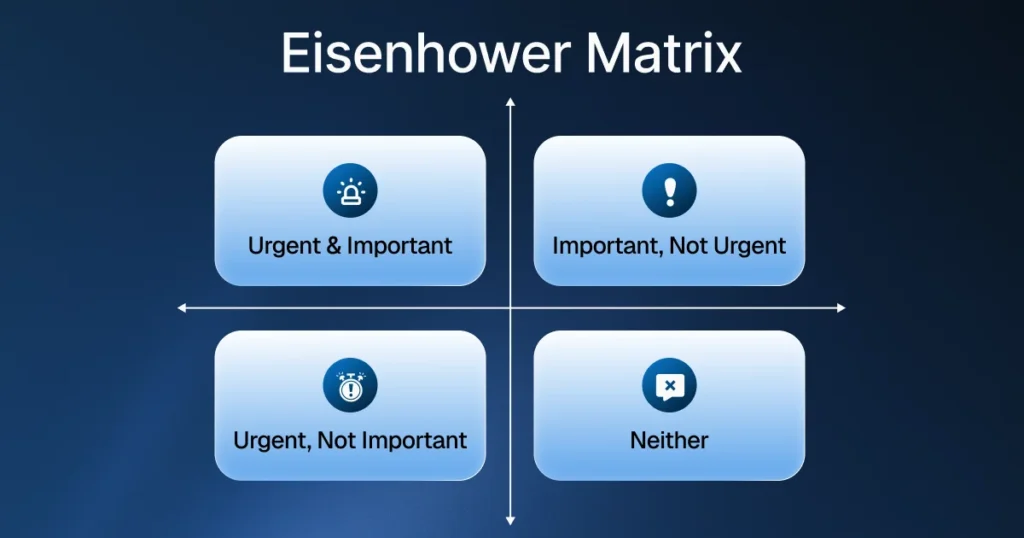
The Eisenhower Matrix helps you decide which emails need an answer right away and which ones are most important:
● Urgent & Important: Reply now
● Important, Not Urgent: Schedule emails for later
● Urgent, Not Important: Delegate to teammates using shared inbox
● Neither: Delete or archive
This technique is one of the best management tips for improving productivity and saving valuable time daily.
The Only Handle It Once (OHIO) Method
The only handle it once (OHIO) rule means: when you open an email, take action immediately – reply, archive, delete, or add to task list.
No reopening the same email multiple times. This approach saves time and reduces multitasking. It’s a core principle of effective email management.
Benefits for Teams
Faster Responses to Customers
Organized systems with proper sorting rules help teams reply quickly. Automation features that automatically sort messages route them to the right person instantly.
Faster replies improve customer experience and show a professional crm organization. Using canned responses for common questions speeds this up even more.
Better Team Collaboration
The email conversation can be edited by more than one member in a collaborative workspace. The integration with Asana, Trello, and Monday.com ensures that the projects remain organized.
This ensures that confusion and response duplication are avoided while maintaining proper email etiquette.
These management tips ensure smooth workflow and save valuable time on coordination.
Higher Productivity
Teams save time searching for emails when they use labels, filters, and folders to stay organized. Workflow becomes smoother and more efficient.
Canned responses and email templates for common replies save hours weekly and help keep your inbox organized. Proper inbox management saves valuable time that teams can spend on important work.
Improved Lead Management
Sales teams can track email conversations with potential customers using proper crm organization. No lead gets lost or ignored when sorting rules are followed, and systems automatically sort priority messages.
Top Tools and Software
Popular Software Options
Gmail and Outlook: They have built-in tabs, labels, and folders. They also use automatic tools to sort your messages and help you stay organized.
Hiver – Collaborative workspace for teams using Gmail, where plans start at reasonable rates
SaneBox: It uses AI to sort your emails automatically. This keeps your inbox organized and saves you a lot of time.
Unroll.me – Unsubscribe tool that reduces email volume and prevents unnecessary emails that clutter your inbox
Project Management Integration
Asana, Trello, and Monday.com integrate with email, turning messages into actionable tasks. This supports better workflow and productivity.
Best Practices for Effective Email Management
Use Sorting Rules and Automation Features
Set up rules and filters that automatically sort incoming emails based on sender, subject, or attachments. Automate repetitive tasks to reduce interruptions and save valuable time.
These tips are the best way to handle your email and keep your inbox organized. Learn to sort your emails systematically for the best results.
Implement Labels and Categories
Create clear labels and categories in Gmail or folders in Outlook. Use inbox labels and inbox tabs to separate different types of emails.
Use Canned Responses and Email Templates
Canned responses and email templates save time and keep communication consistent. Create templates for product updates, customer service responses, and common questions.
This is one of the most valuable management tips for busy teams managing high email volume.
Set Response Time Goals
Teams should aim to reply within specific times. Use the schedule emails feature to send messages at optimal times and maintain a good sender reputation.
Check your email at set times instead of looking at it all day. This reduces distractions and keeps your inbox from getting messy.
Archive Regularly
Don’t let processed emails clutter your inbox. Archive completed conversations to maintain the inbox zero method.
Technical Email Management Considerations
Maintaining Email Infrastructure
Proper email infrastructure includes:
● Valid DKIM, DMARC, and SPF records
● Configured authentication protocols
● Reliable SMTP service
● Good sender reputation
These prevent deliverability issues and keep your messages out of spam filters.
Managing Notifications and Reducing Distractions
Turn off constant notifications that create interruptions. Check email at specific times instead of constantly multitasking.
This improves focus and productivity while reducing stress from email volume. It’s one of the most important management tips for effective email management.
Choosing the Right Tool

When selecting software, businesses should look for:
● Collaborative workspace functionality where plans start at affordable rates
● Multi-user collaboration features
● Conversation tracking with labels and filters
● Analytics and reporting for inbox management
● Integration with customer service platform tools
● Automation features and sorting rules that automatically sort messages
● Canned responses for faster replies
● Referral program benefits for growing teams
Apps that put your email and other messages in one place help your team work faster. This makes it easy to sort all your conversations at once.
Final Thoughts
Email management and proper inbox management are essential for modern businesses. Without a clear system, teams can miss out on new customers and take too long to reply. Too many emails make the inbox messy and cause unnecessary stress.
With the right tools, email habits, and management tips like the inbox zero method and the only handle it once (OHIO), teams can:
● Respond faster using canned responses
● Collaborate better through shared inbox solutions
● Track conversations easily with labels and filters
● Keep the inbox organized with sorting rules that automatically sort messages
● Sort your emails efficiently by priority
● Improve customer experience
● Reduce distractions and interruptions by checking at specific times
● Save valuable time for important work
To have a great communication system, you need good email habits and the right security settings. This ensures your messages actually reach people instead of getting blocked.
Simplify Your Team Communication with AirChannel AI
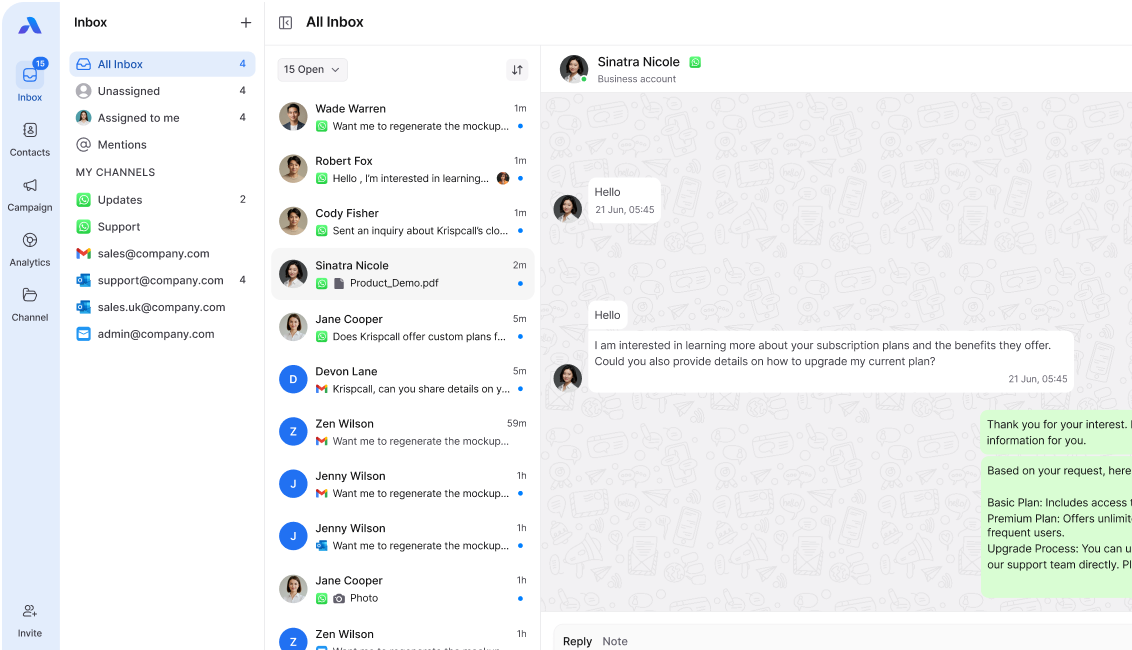
Manage email and WhatsApp conversations from one team inbox. Stop juggling personal inboxes and scattered messages that clutter your inbox.
AirChannel AI brings it all together with these management tips built in:
- Unified team inbox for email and messaging
- Automation features and smart routing that automatically sort incoming emails
- Labels and filters for organization
- Canned responses for faster replies
- Keep your inbox organized effortlessly
- Built for teams where plans start at affordable rates